

Introduction to the QR Code
The QR Code was invented in 1994 by Denso Wave to track and identify components of Toyota vehicles during production. Five years later, its creator decided to share it as a non-proprietary free technology. Since then, it has become a powerful and versatile tool for marketing and communication. Why versatile? These little information-carrying squares seem suitable for all kinds of use and have adapted seamlessly to every evolutionary stage the World Wide Web has gone through from the early 2000s to today.
The feature that makes it powerful is undoubtedly that of connecting two extremely distant worlds: the analog world and the digital world. It is enough to print or reproduce in some way this code in the real world to create a hook with information present in the digital world. Its great diffusion is due above all to the fact that:
-

It is easy to create
and integrate -

It can contain many
types of data -

It's easy to read
What is it
The QR Code is a two-dimensional square-shaped barcode composed of dark modules arranged on a light pattern. The name comes from its main feature, that of providing rapid decoding of the information contained within: QR stands for Quick Response, which means "Quick Response".
How it's made
A single code can contain up to 2953 bytes, 7089 numeric characters or 4296 alphanumeric characters and, thanks to the Reed-Solomon error correction and detection mechanism, it is possible to modify and personalize QR codes by adding colors, images, logos, etc.
QR codes can be generated manually, such as by entering the data of our business card or the address of our website in special generators, or they can be generated automatically during the process of creating a digital object, such as a post, an article (just like this one) or a three-dimensional object created by a robot. In this last case, the QR code can be considered an important part of the digital identity of the object.
The anatomy of a QR Code
Positioning tracking markers
The position markers, positioned at the three corners of the QR Code, play a fundamental role in its identification and reading. Thanks to these distinctive elements, the scanner can quickly recognize the code, determining its direction and orientation. This system allows the QR Code to be scanned with precision, regardless of the viewing angle or the position in which it was printed.
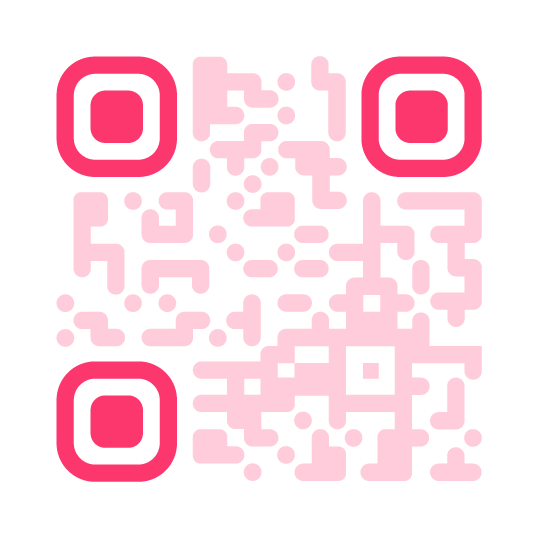
Alignment Markers
Alignment markers are designed to correct any distortions of the QR Code, making them particularly useful when the code is applied to curved or irregular surfaces. Their size and quantity may vary based on the complexity of the code and the amount of information it contains. This ensures reliable scanning even in non-optimal conditions, improving the accuracy and efficiency of the reading process.
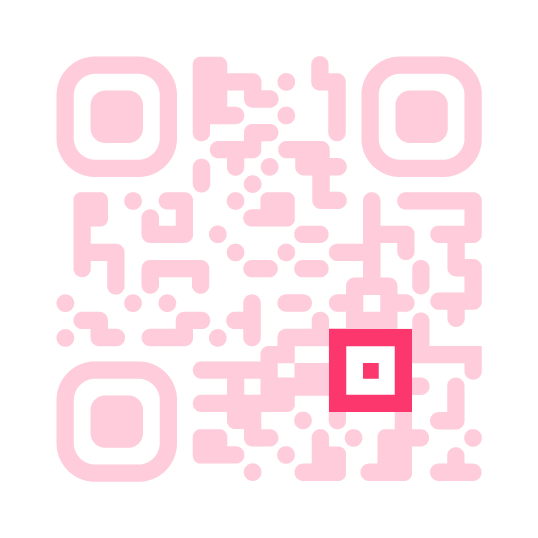
Timing scheme
The alternation of black and white modules in the QR Code constitutes its information system, also known as data grid. This structure defines the layout of the code, allowing the scanner to precisely identify the size of the matrix and correctly interpret the encoded information. Thanks to this organization, the QR Code can be deciphered quickly, ensuring effective data transmission.
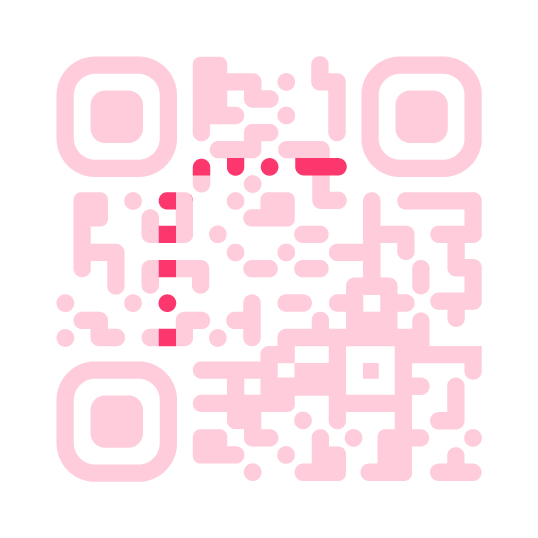
Version Information
Version markers indicate which of the 40 available versions of the QR Code has been used. These versions vary based on the storage capacity and the complexity of the code. Typically, the most commonly adopted versions are those between 1 and 7, as they offer a good balance between physical size of the code and amount of data that can be codified.
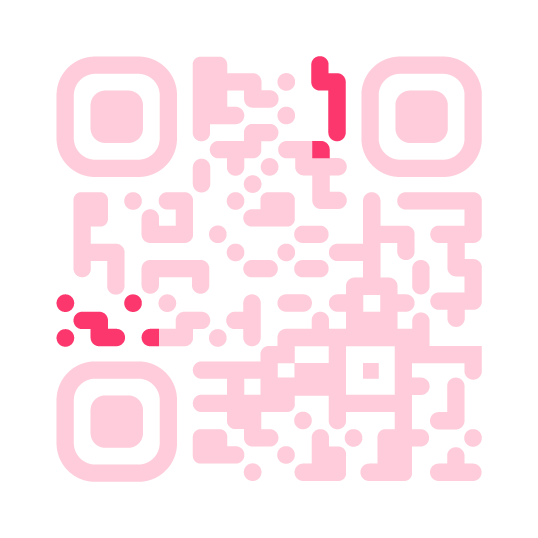
Format Information
The format information incorporates details about the error tolerance and data masking pattern, which are crucial to ensuring accurate QR Code reading. This data helps the scanner correctly interpret the code, even if it is damaged or imperfect, making the scanning process faster and more efficient.
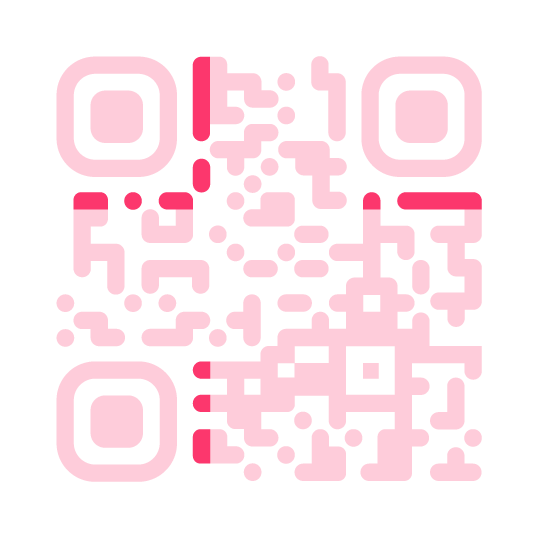
Error Correction Data and Keys
The QR Code's error correction system is designed to ensure data integrity, even in the event of partial damage to the code. This system stores all essential information, sharing space with the error correction modules. Thanks to these modules, it is possible to reconstruct the lost data, ensuring reliable reading even when the code is partially compromised.
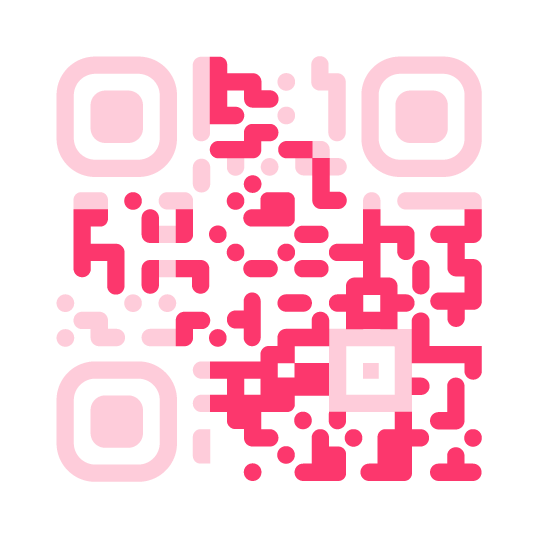
The safe area
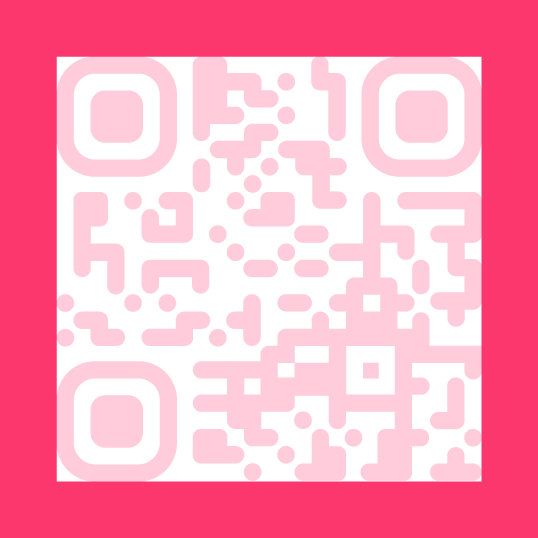
This concept is comparable to the importance of white space in design: it provides structure and facilitates understanding. What is it for? The scanning program. The safe area is essential to distinguish the QR Code from the surrounding context.
Possible applications
But let's see what the practical implications of this tool can be. There are dozens of possible applications and the only limit is your imagination. From the early 2000s to today, QR codes have been used in many different sectors:
-

Manufacturing
and automation -

Packaging
and in-store experience -

Coupons
and discount codes -

Art
and installations -

Medicine
and Pharmacy -
Transport
Catering
The COVID-19 pandemic has led many businesses to rediscover the usefulness of QR codes to ensure social distancing, transforming physical media into digital content: menus, catalogs, coupons, tickets and more. This technology, already known but often underestimated, has thus lived a second life becoming a widespread, practical and safe tool. However, with traditional methods, each change to the content involves the need to generate and reprint a new code, with obvious limits in terms of flexibility.
Our solution for catering
Creating digital menus with RistoQ
With RistoQ it is not only very easy to create quick digital menus for your restaurant customers to consult. Just create an account and in a few simple steps you can start creating and sharing personalized menus, wine lists and promotions with your customers.
Customizable QR codes
Once the menu is created, a QR code is immediately associated with it, which can be customized in colors and graphics. You can also add your business logo or an identifying name, e.g. "First courses". Or "Wines".
Safe and anti-counterfeit QR codes
The possibility of customization mentioned above is not only an aesthetic factor, but also and above all related to security: the possibility of inserting a randing element allows the consumer to be guaranteed the certainty of origin of the issuer and makes counterfeiting difficult.
Modify your menu without changing the QR code
When you need to make some changes to the content, or add some products that you forgot to the list of allergens contained in a dish, you can do it at any time without modifying the QR code. You will therefore not be forced to reprint the codes to put on the tables or to add to your social page.
100% responsive
RistoQ is mobile first: the menus are created thinking about the device with which they will be consulted in 99% of cases, i.e. with a smartphone. The responsive design of the menus will allow perfect consultation even if your restaurant uses tablets for each table.
Try RistoQ!
Once you've tried it, RistoQ is unstoppable. If you want to give it a try, register at www.ristoq.it for a free demo.














For Bakery Operators
PANAPP POWERED BY
DO YOU NEED HELP?

With PanApp you can create in just a few minutes a digital catalog of your baked goods, easy for customers to consult, both in-store and online. Simply create an account and immediately start uploading photos, detailed descriptions, ingredients and characteristics of your breads, focaccias, desserts and artisan specialties.
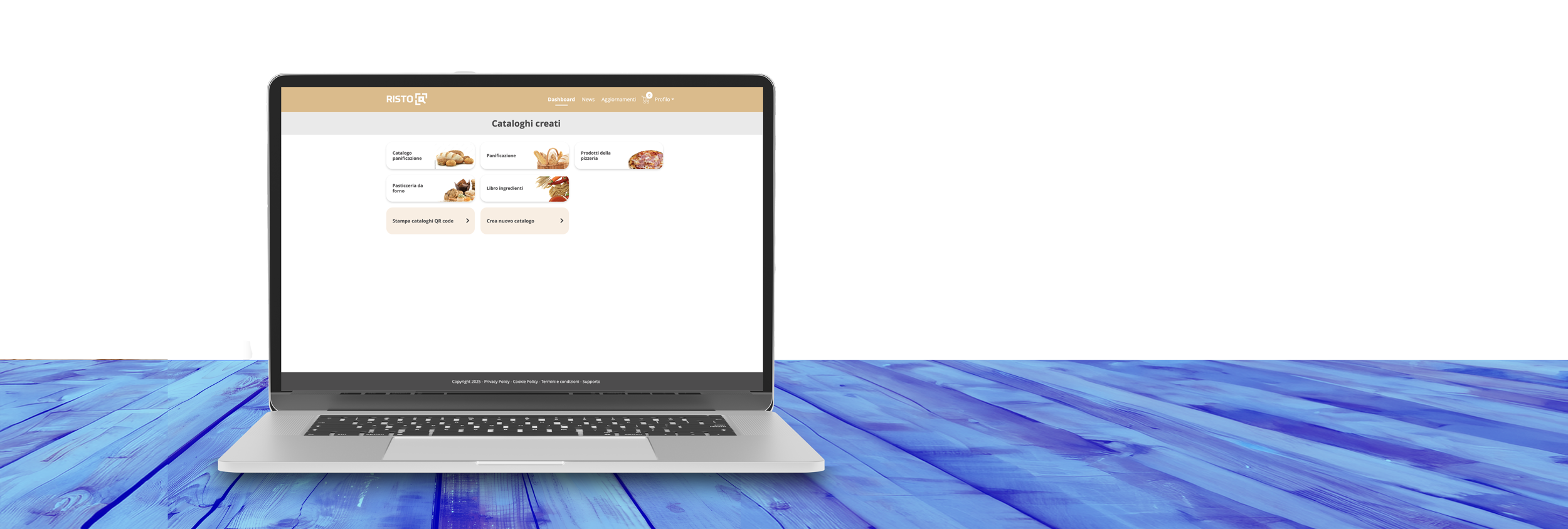
Customized digital catalogs
Once you have created your catalog, you can completely customize it: choose the style, the colors, upload your logo and organize the products by categories, making the consultation simple and intuitive for anyone. Thanks to the clear and modern interface, you will show customers a professional and up to date image.

QR code tailored for you
Each catalog created with PanApp is associated with a QR code that can be customized in colors, graphics and branding. You can insert it on the packaging of your products, display it in the store or use it in promotional material: it will be the most direct way to let everyone discover the complete assortment of your bakery.
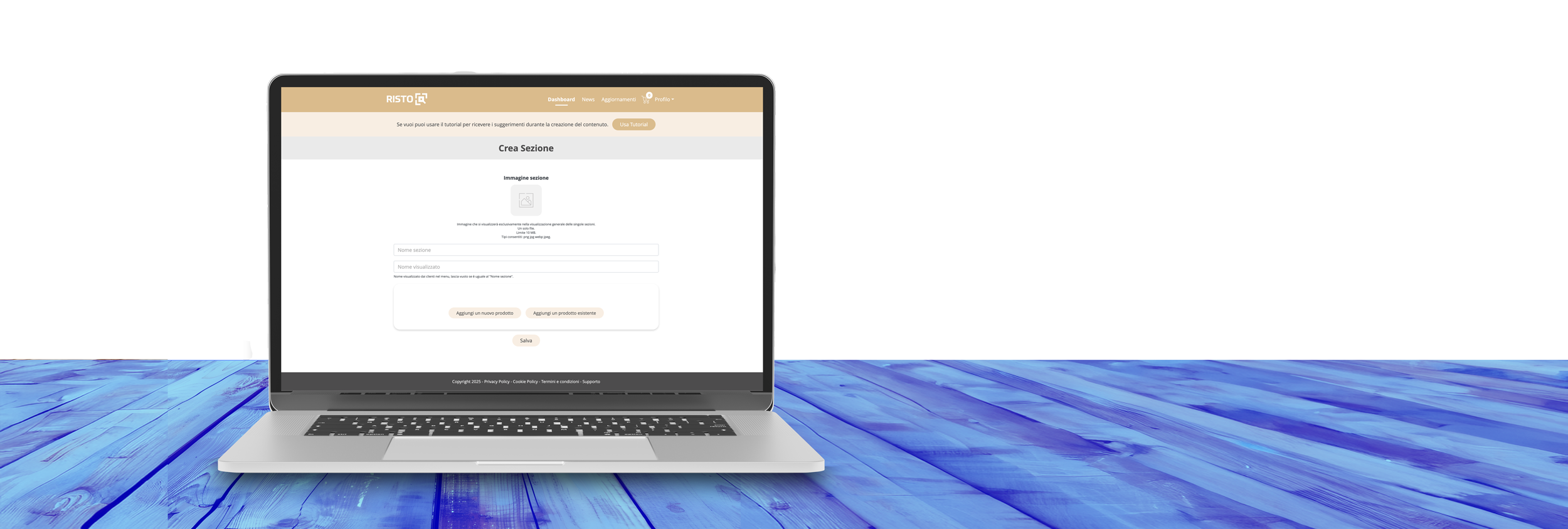
Easy and instant updates
With PanApp you can add or modify products, change images, update descriptions and insert new references at any time, without having to reprint the QR code. Each update will be visible immediately to your customers, keeping your catalogue always updated with minimum effort.
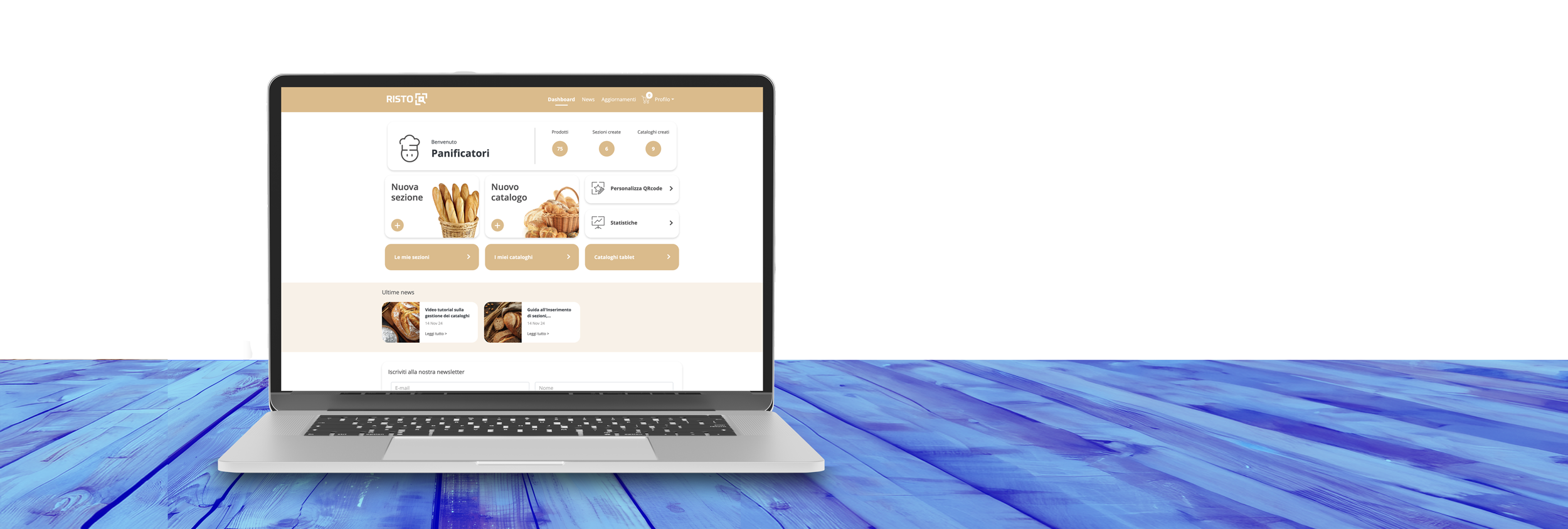
Improve your customer experience
With PanApp you offer your customers a new way to learn about your products, discover important details and navigate your assortment independently. A modern, easy to use service that is perfect for enhancing the quality and artisanship of your production.
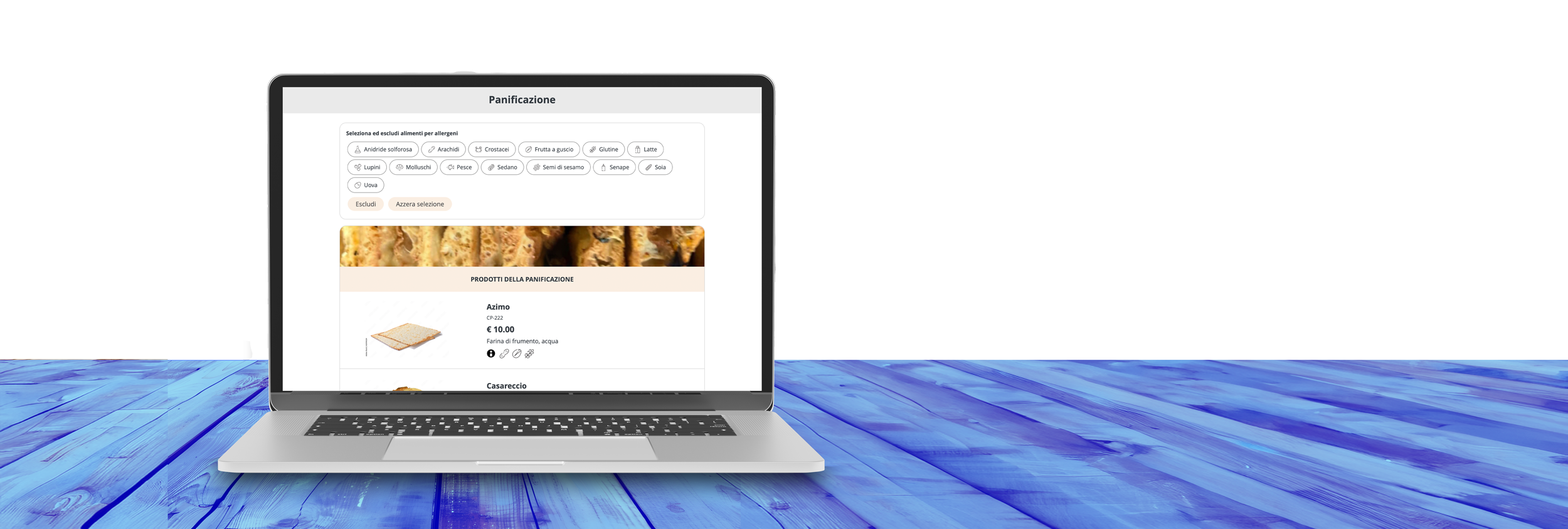
Catalogs for tablets
Offer a modern and interactive service in your bakery: with PanApp you can install a tablet on the counter or in the waiting area, allowing customers to virtually browse your assortment. Thanks to the presence of details on ingredients, allergens and nutritional values, you provide a complete and always updated overview, improving both the shopping experience and regulatory compliance.
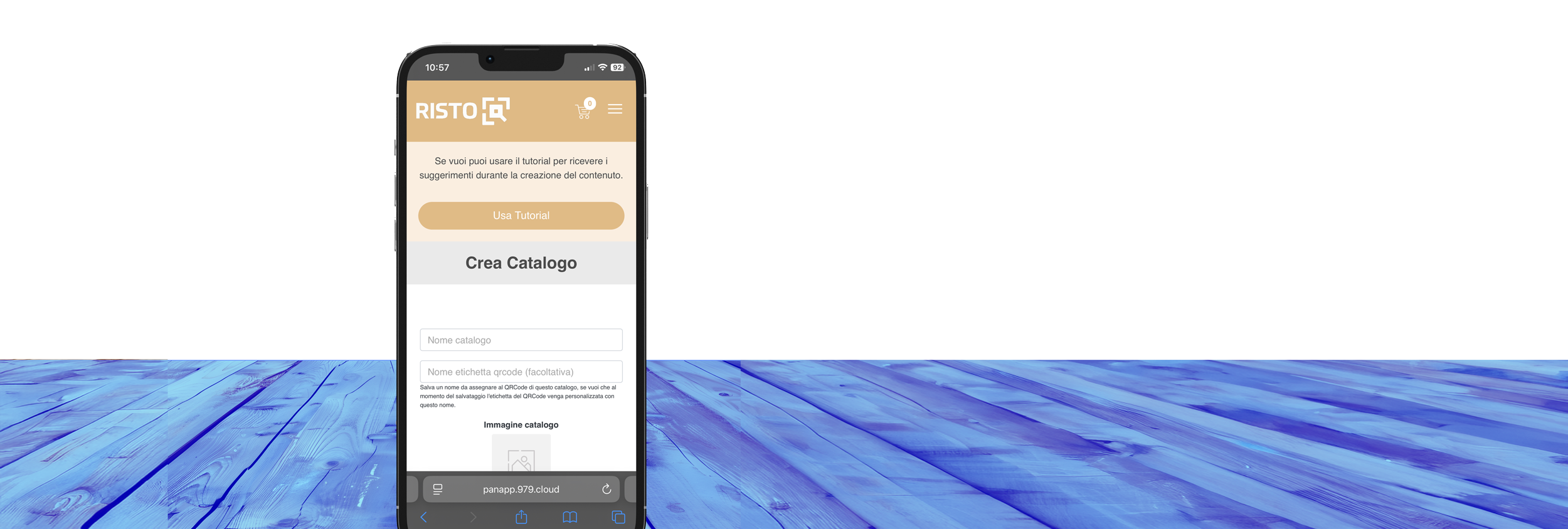
Optimized consultation from smartphones
PanApp is designed to be mobile first: your digital catalogs will adapt perfectly to any type of device, ensuring fast and intuitive navigation. Whether your customers use smartphones, tablets or computers, the experience will always be fluid and professional.